 Vestnil
Features
Everything is free. Nothing is deleted until you confirm it.
A clear dashboard
See your largest and newest programs, Store apps, broken entries and how much space backups use.
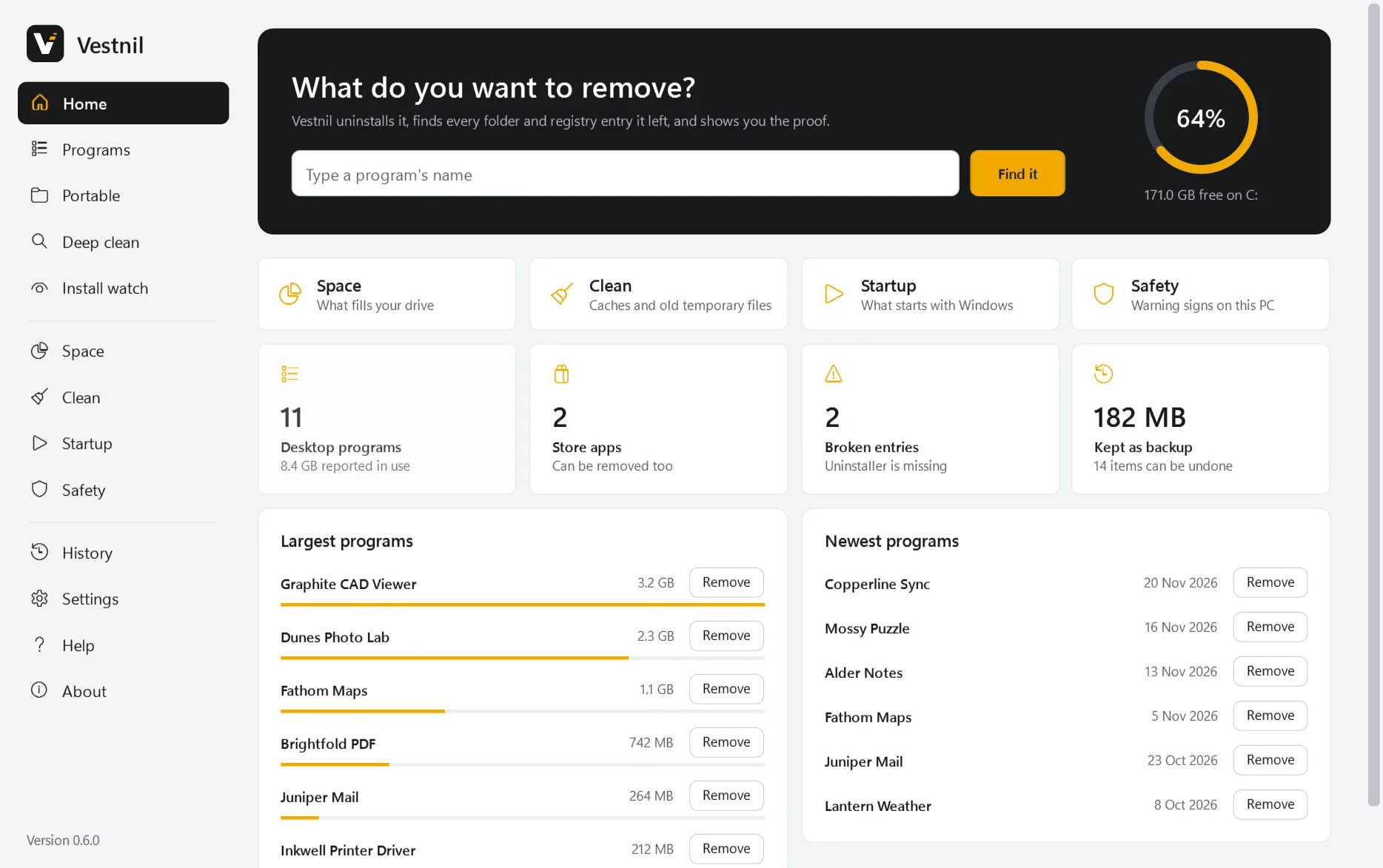
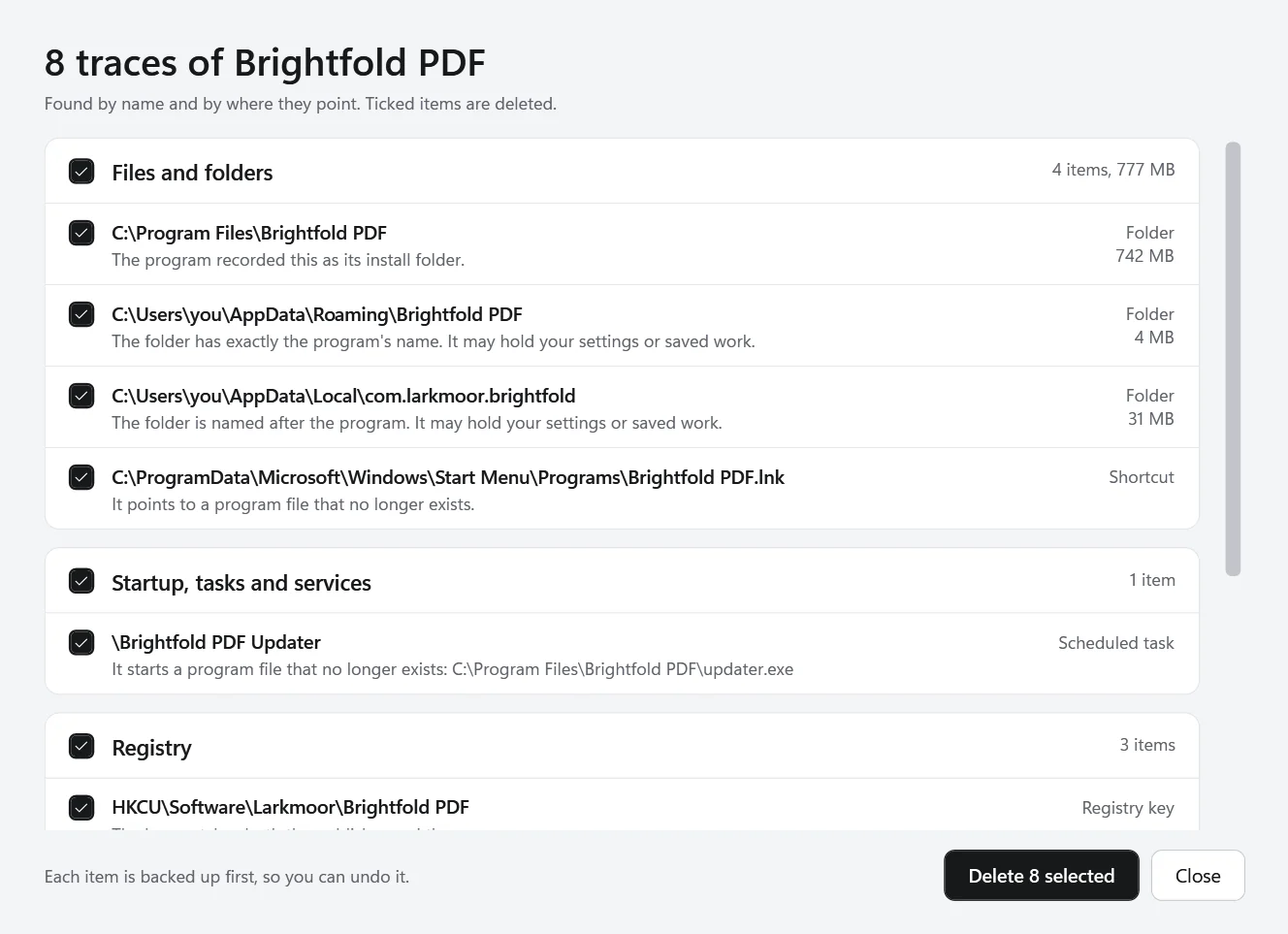
Files, folders and registry
Program Files, ProgramData, AppData, shortcuts, tasks, services, firewall rules, and more than twenty kinds of registry entries such as file types, right-click menus and startup.
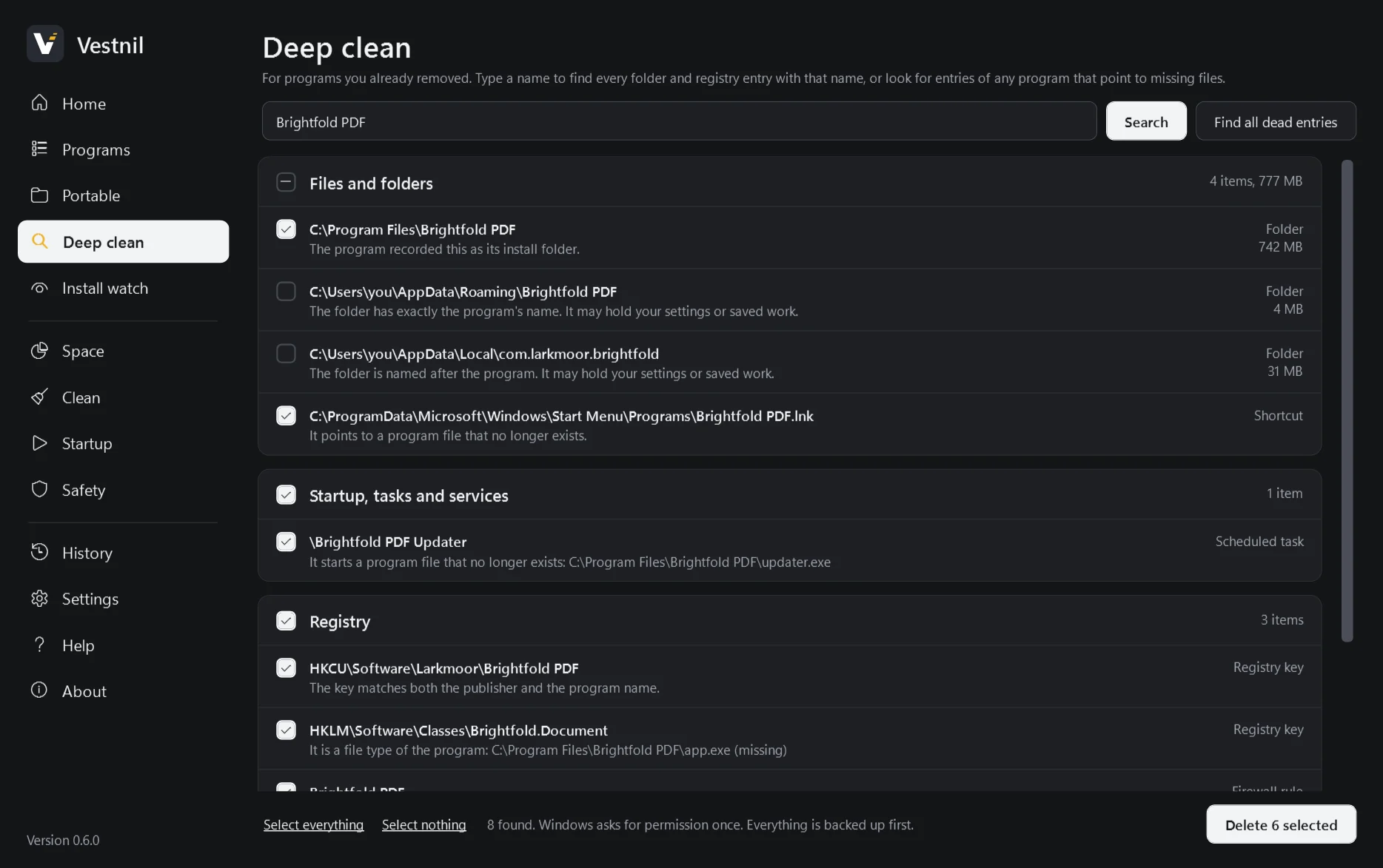
Deep clean for programs you already removed
Type the name of a program that is long gone. Vestnil finds its folders and registry entries by name, or all entries that point to missing files.
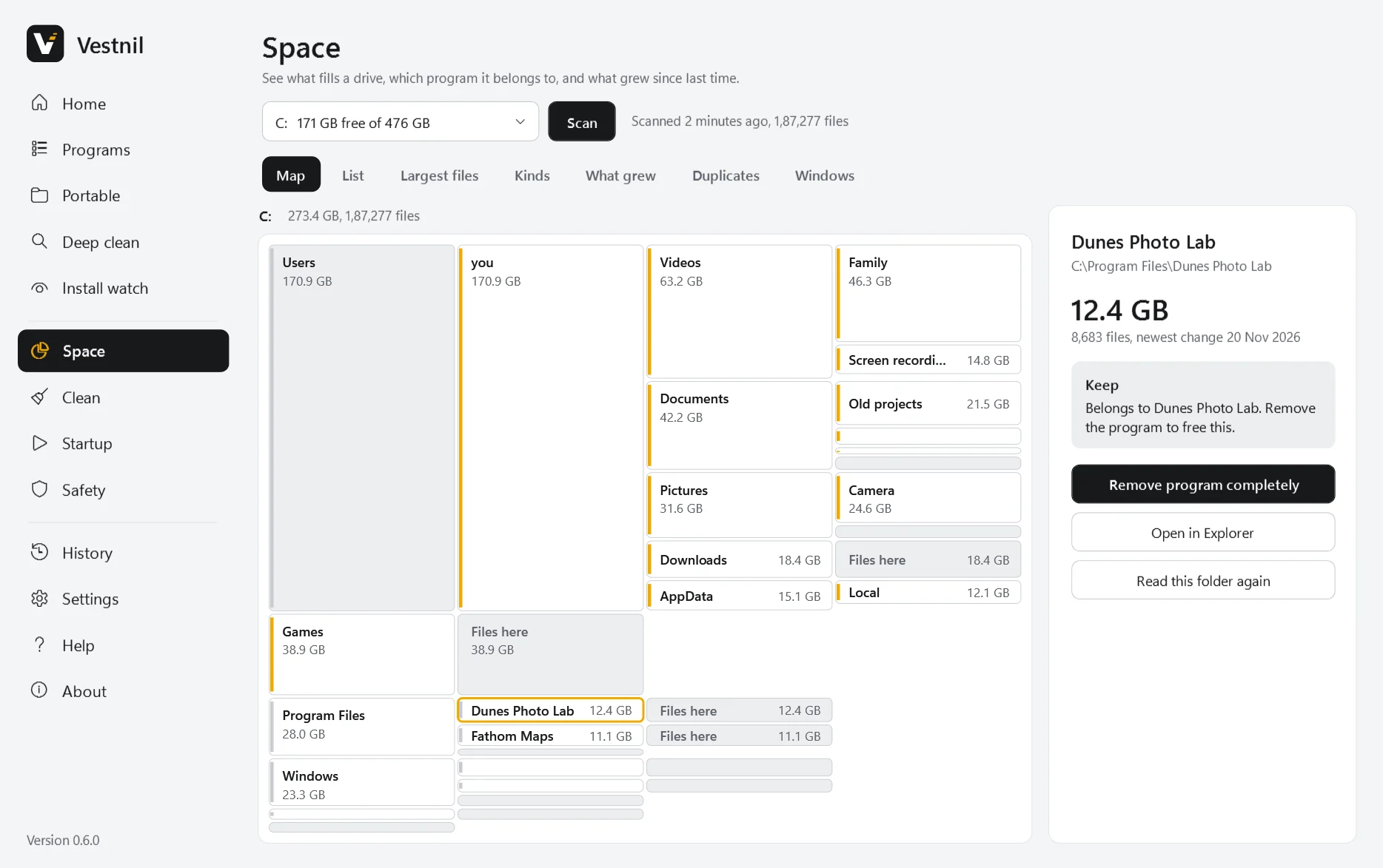
Space: what fills your drive
A map in columns, a list, the largest files, kinds of files and what grew since last time. Folders are matched with the program they belong to.
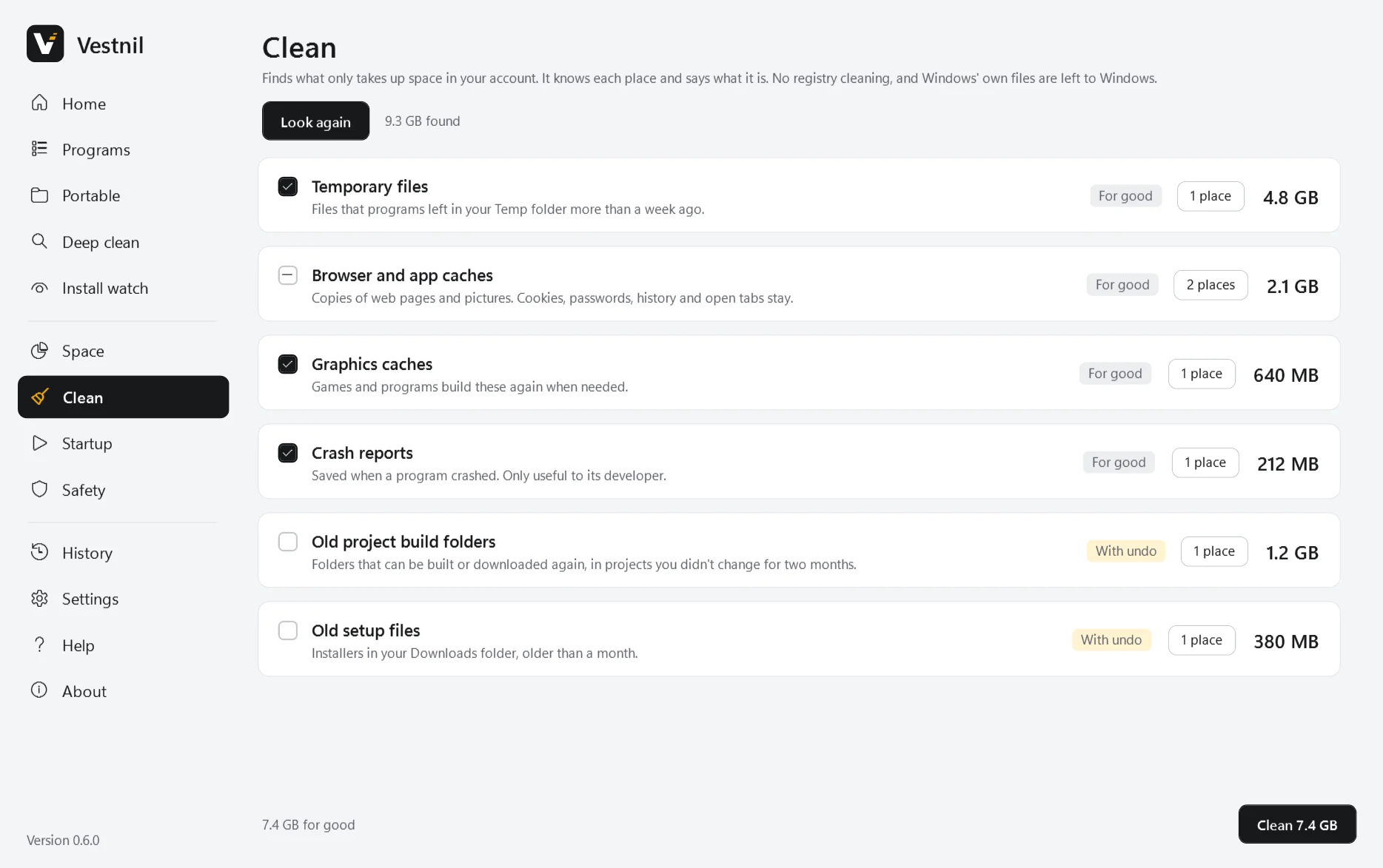
Clean
Caches, crash reports and temporary files older than a week, plus old setup files and project build folders with undo.
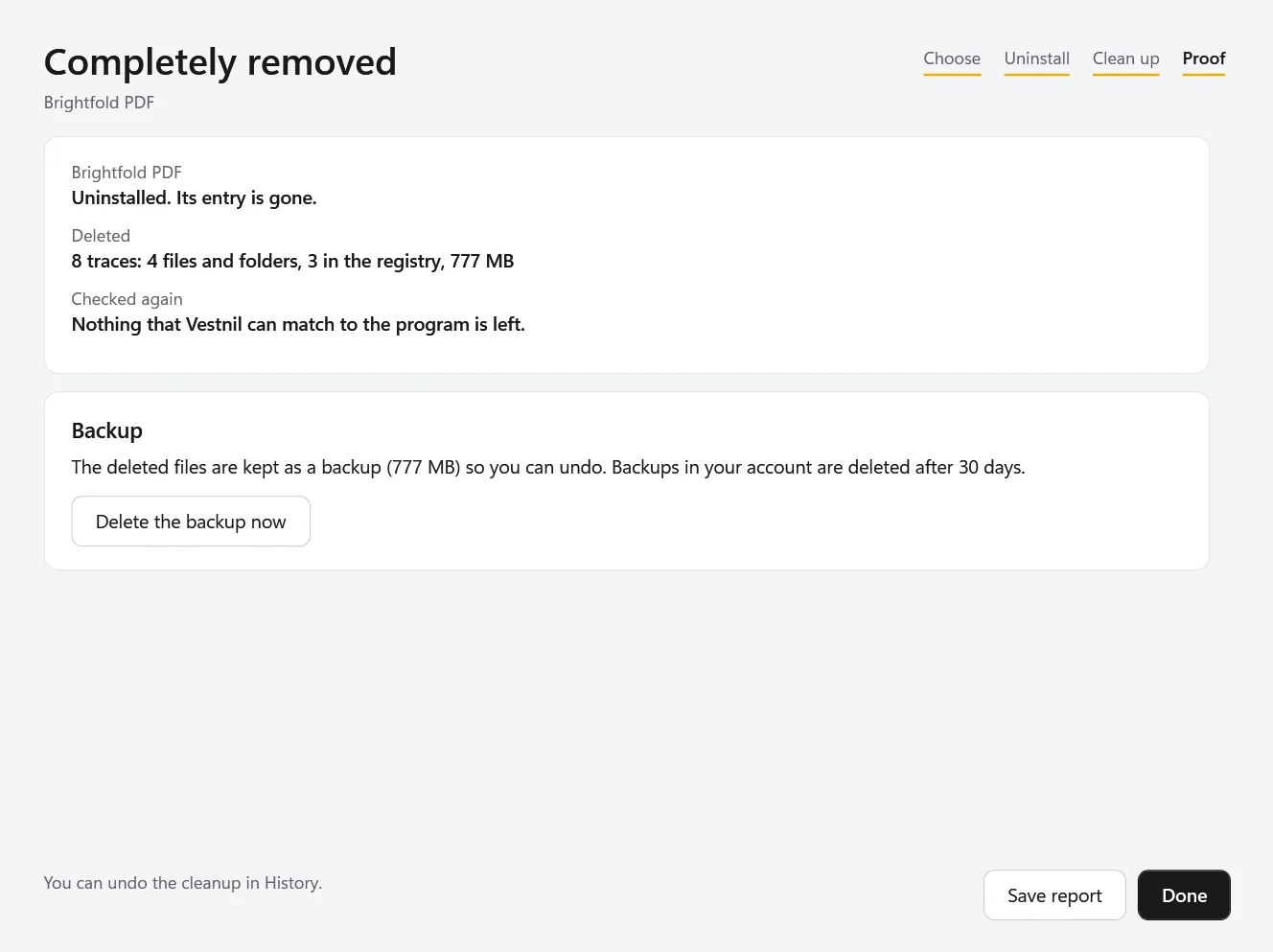
Proof and report
After deleting, Vestnil scans again. You see what was deleted, what is left and why, and can save it as a text file.
More in detail
- One flow
- Choose, uninstall, clean up, proof. One Windows permission prompt covers all system items.
- Several at once
- Tick programs and remove them one after another, with one cleanup at the end.
- Force remove
- For programs whose uninstaller is missing or fails.
- Store apps
- Listed and removable. Parts of Windows are never shown.
- Portable programs
- Finds .exe files and Python scripts Windows doesn't list, with their settings folders.
- Duplicates
- The whole content is compared, and again byte by byte before deleting. The last copy always stays.
- What grew
- Compares with your previous scan and names the folders that got larger.
- Windows' own space
- Hibernation, old Windows, Recycle Bin and virtual disks, with the Windows tool that makes each smaller.
- Startup
- Turns your own startup entries off and on, the way Windows does. Nothing is deleted.
- Safety check
- Warning signs in settings, startup and browser extensions. Not a virus scanner.
- Install watch
- Lists what an installation adds, so it can be removed completely later.
- Last opened
- Finds programs you haven't opened for 90 days, from what Windows noted.
- Undo
- What Vestnil removes is backed up first, except caches and temporary files. Keep backups for 7, 30 or 90 days, or delete them now.
- Keep my settings
- Choose to remove a program but keep the folders that may hold your settings.
- Light and dark theme
- Or the same as Windows.
- Locked safety zones
- Windows, drivers, items used by other listed programs, and project folders are protected.
Try it
Windows 10 and 11, 64-bit.