 Vestnil
What fills your drive?
Find the space, see who it belongs to, and free it without guessing.
Follow the space
Open Space, choose a drive and press Scan. Each column is one level deeper and each block is as tall as the space it uses.
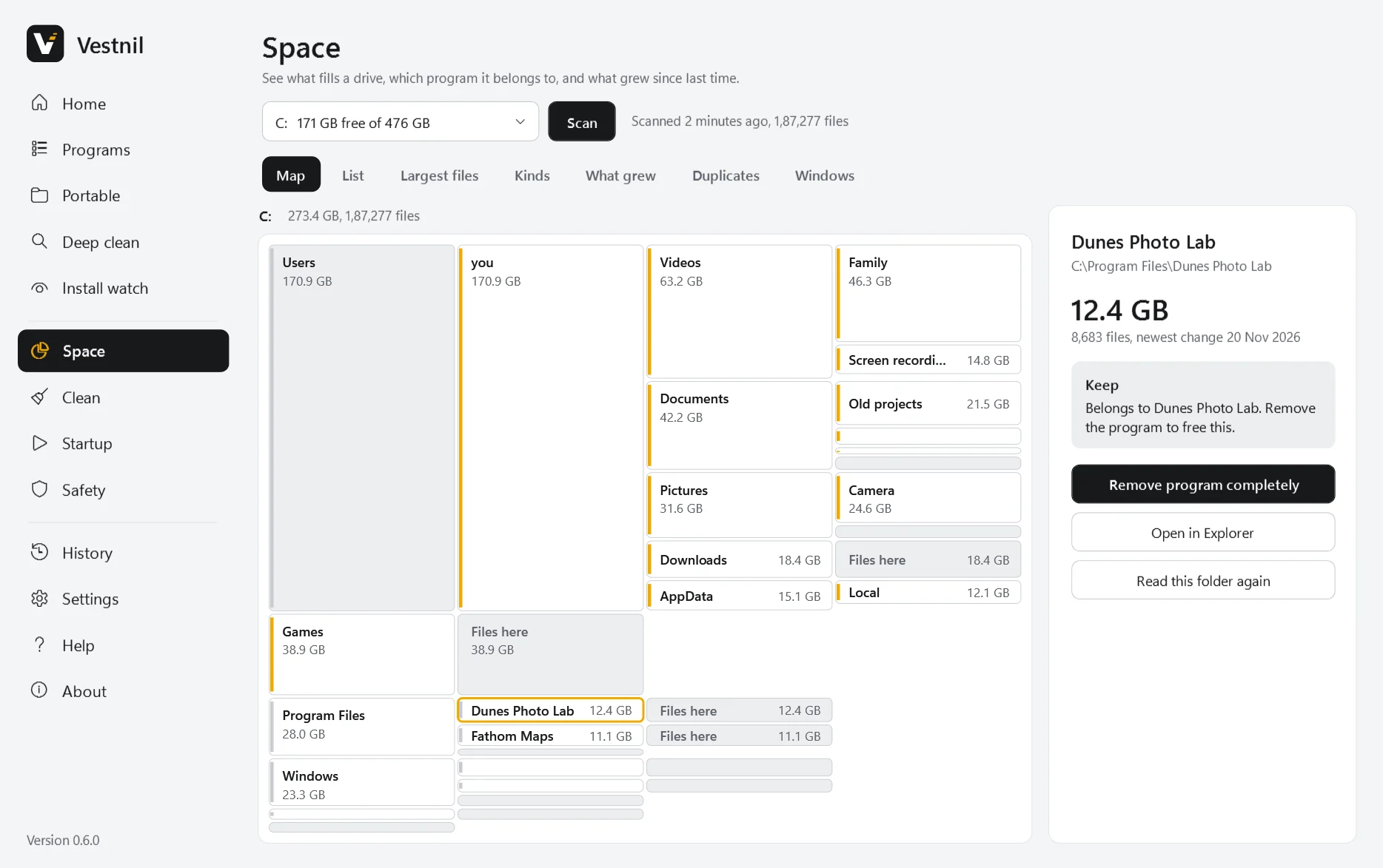
Free space step by step
- Open Space and press Scan. The next time it opens from the saved scan.
- Select a large block. If it belongs to a program, use Remove program completely, so its registry entries go too.
- Open Clean for caches, crash reports and temporary files older than a week.
- Open Largest files and Duplicates. Nothing is selected for you, and what you delete can be undone in History.
- Open the Windows tab for the hibernation file, the previous Windows and the Recycle Bin.
- When you are sure, delete the backups in Settings. Only then is that space really free.
What Vestnil won't do
- Clean the registry in general. Microsoft doesn't support registry cleaners. Vestnil only removes entries of programs you removed.
- Delete Prefetch, Windows folders, cookies, passwords, history or saved work.
- Touch synced folders such as OneDrive, projects, or folders of installed programs.
- Promise a faster PC.
Measured on one PC
A drive with 1.45 million files was scanned in 12 seconds the first time and opened again in under a second. Other PCs can be slower or faster.
Why does the map show less than Windows?
Some folders of Windows and of other accounts can't be read without an administrator. Files that are only in the cloud count as nothing. Parts of Windows can be counted twice.
Try it
Windows 10 and 11, 64-bit, 55 MB, free.